Protect your finances. Part 4: from Quishing to Spear Phishing. Here are twelve common online threats targeting company cybersecurity


Modern company cybersecurity has long moved beyond simple antivirus filters. Today, hackers do not attack randomly – they meticulously analyze business relationships, the structure of finance departments, and B2B payment schedules. When a cybercriminal intercepts communication with a key business partner or manipulates a banking session, the company’s cash flow becomes the direct target. In the fourth part of our series, we analyze 12 advanced online threats that can paralyze an enterprise’s financial operations in a split second, and provide guidance on how to effectively protect your capital and business stability.
Key takeaways:
- Advanced social engineering attacks (e.g., Spear Phishing, BEC, or Job scams) are aimed directly at decision-makers and accounting departments, seeking to divert payment flows to fraudulent accounts and trigger immediate payment bottlenecks.
- Hybrid work and business travel open new attack vectors – unsecured networks (Evil Twin), MITM attacks, or vulnerabilities in IoT devices in executives’ homes can serve as a bridge to gain unauthorized access to ERP systems and factoring platforms.
- Effective financial liquidity protection requires complete synergy: rigorous digital hygiene (multi-factor authentication, Zero Trust model) and smart receivables management that safeguards working capital against unforeseen shocks.
Fake QR Codes (Quishing) on invoices and in logistics
QR codes are a standard in modern business – they appear on invoices as quick payment links (e.g., Pay-by-link), in warehouse documentation, and on payment terminals. “Quishing” is a technique that involves replacing a legitimate QR code with a fraudulent one (e.g., by pasting a physical sticker over a paper document or embedding it into a spoofed PDF invoice). When scanned by an accounting employee, it leads to a fake payment gateway or a phishing site designed to harvest corporate banking credentials. The greatest danger lies in the fact that the human eye cannot read the URL hidden within a graphical code before scanning it.
How to protect yourself:
- Scan QR codes exclusively from trusted, verified sources and documents originating from regular business partners.
- Always verify the full URL displayed on your smartphone or scanner screen before approving redirection to a website.
- Strictly avoid entering confidential login credentials, corporate card numbers, or authorizing transactions on websites opened directly from a QR code scan.

Fake Marketplace Scams in corporate purchasing
Cost optimization drives companies to seek attractive deals on wholesale markets and online trading platforms. Fraudsters create professional-looking, fake wholesaler profiles or entire B2B marketplaces, offering scarce equipment or raw materials at highly attractive prices. Once a pro forma invoice is paid, all contact is lost, and the goods never arrive at the warehouse. A second variation of this scam targets selling companies – a fake buyer sends a link supposedly confirming payment receipt, which in reality is used to drain the seller’s bank account.
How to protect yourself:
- Exercise extreme caution regarding offers with unrealistically low prices and counterparties putting pressure on immediate transaction closure.
- Avoid advance payments to new, unknown suppliers; utilize letters of credit, escrow accounts, or proven debt financing tools.
- Do not click on any “payment receipt” links sent via instant messengers, marketplace chats, or SMS messages.
Job Scams as an attack vector on administration
Recruitment scams hit businesses in two ways. In the first scenario, criminals impersonate your company by publishing fake job postings to extort money from candidates, damaging brand reputation in the market. In the second, much more dangerous scenario for liquidity, hackers target executives, accountants, or HR specialists by offering them supposedly high-paying part-time contracts. During the “recruitment process,” the victim is asked to install a “testing platform” (which is actually malware) or pay a verification fee from a corporate account, opening doors for criminals into the enterprise’s internal network.
How to protect yourself:
- Verify every recruitment agency and headhunter by checking their official communication channels and confirming the recruiter’s identity directly at the source.
- Never agree to install unknown testing software or pay any “administrative” or “registration” fees during a recruitment process.
- Prohibit administrative and finance staff from sending scans of identity documents, corporate banking details, or Tax Identification Numbers (NIP) to unverified external entities.
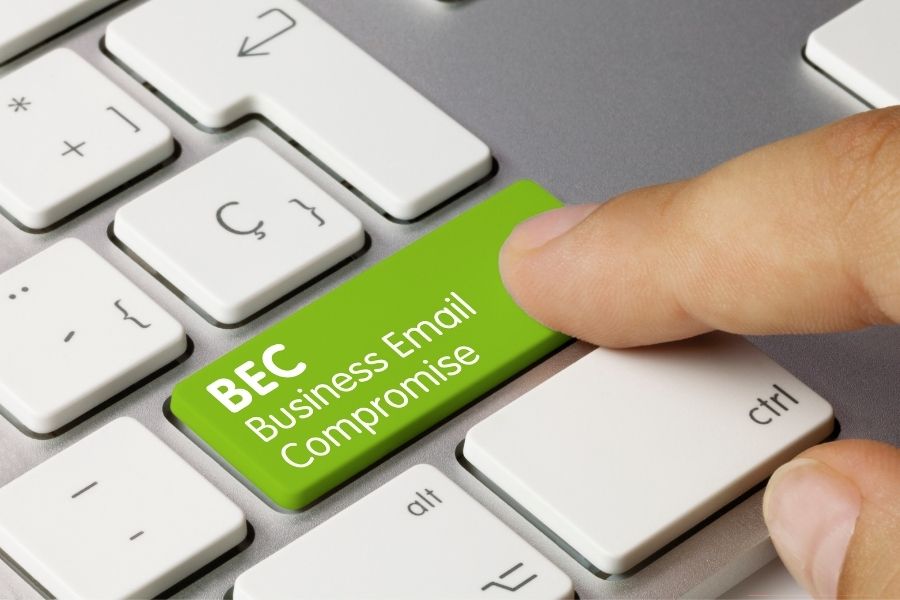
Business Email Compromise (BEC) scams
This is one of the most destructive online threats to B2B financial liquidity. Fraudsters breach the email security of your regular supplier or client (this often applies even to encrypted or certified email accounts). For months or years, they passively monitor correspondence, learning terminology, amounts, and transaction schedules. At the perfect moment, they send an authentic-looking invoice from the counterparty’s genuine email address, accompanied by a notice regarding a “change of bank account number due to an audit.” Unsuspecting accounting staff process the transfer to a money mule’s account.
How to protect yourself:
- Always verify any sudden or unusual notification regarding a change of bank account number through a second, independent communication channel (e.g., by calling the long-known phone number of the partner’s chief accountant).
- Thoroughly analyze banking details on invoices – even a change of a single digit or SWIFT code should immediately halt the payment procedure.
- Secure corporate mail servers with advanced protocols (SPF, DKIM, DMARC), enforce strong passwords, and mandate universal two-factor authentication (2FA/MFA).
- Maintain a strict, edit-locked database of verified bank accounts of regular suppliers (white list of VAT taxpayers), requiring dual authorization for any modification attempts.
Fake Customer Support on social media
Companies widely use social media (LinkedIn, Facebook, X) for customer service and sales activities. When a marketing or IT department reports a technical issue in a public post or on a platform profile, scammers step in. Operating from accounts closely resembling official technical support, they send private messages. Under the pretext of an “urgent business account verification” or “unlocking the ad manager,” they send a link to a fake login page. Compromising a corporate account can result not only in reputational damage but also in linking corporate credit cards to scammers’ ad campaigns and draining the promotional budget.
How to protect yourself:
- Remember that official technical support teams of social media and financial platforms never initiate contact via private messages asking for passwords or sensitive data.
- Never click on links sent in messengers by alleged consultants, especially if the link leads outside the official domain of the service’s help center.
- Always verify the authenticity of the profile contacting the company (check the official verification badge, account history, and spelling of the brand name).
- Mandate multi-factor authentication (MFA) for all employees with administrative privileges to corporate digital channels.
Delivery Scams in the supply chain
In the era of advanced e-commerce and global supply chains, companies receive dozens of packages daily containing samples, documents, or service parts. Scammers massively send SMS messages (smishing) and emails impersonating well-known courier and freight companies. The notification claims a shipment is held at a logistics center and requires a small surcharge (e.g., $1–$2 / 2–5 PLN) or address confirmation via an attached link. The landing page is a perfect replica of the courier’s website, designed to capture credit card details or bank login credentials, enabling criminals to immediately withdraw significant sums from the corporate account.
How to protect yourself:
- Never click on links contained in delivery status messages, especially if they demand any additional payments or customs surcharges, no matter how small.
- Check shipment and freight statuses solely by manually entering the tracking number directly on the official website of the courier company.
- Implement a strict company procedure prohibiting the submission of corporate card details or logging into payment systems on web pages opened from SMS links.
- Carefully verify the full email address of the logistics sender – scammers frequently use typos or hide a fake domain beneath the display name of a well-known brand.
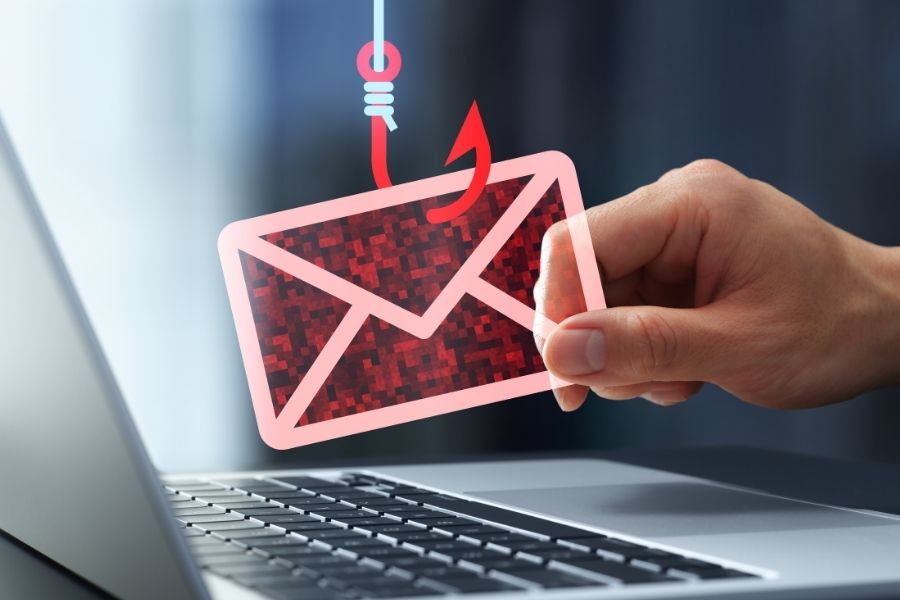
Spear Phishing targeting CFOs and accounting
Unlike mass, easily detectable phishing, Spear Phishing is a precise sniper attack aimed at a specific individual within an organization – most commonly the Chief Financial Officer (CFO), Chief Accountant, or Chief Executive Officer (CEO). Criminals spend months gathering intelligence about targets from commercial registers, LinkedIn, press interviews, or data breaches. They then craft a perfectly credible message – for example, impersonating the CEO on a business trip abroad, instructing accounting to execute a “secret, urgent acquisition transaction” requiring an immediate wire transfer to a specified account without following standard procedures.
How to protect yourself:
- Implement and strictly enforce multi-person authorization procedures for all transfers exceeding a specific monetary threshold – no transfer should ever be executed based on a single email or phone call.
- Regularly update security software and email systems, utilizing advanced anomaly detection algorithms in internal communications.
- Train management and finance personnel on social engineering tactics, teaching them to meticulously verify sender authenticity before opening attachments or clicking links.
- Secure all key operational accounts and business messengers with phishing-resistant multi-factor authentication (e.g., physical FIDO2/U2F security keys).
Smart Home Hacking and executive remote work security
The boundary between office and home has blurred. CFOs and accountants frequently work remotely, logging into corporate ERP systems, online banking, or factoring portals from home Wi-Fi networks. These same networks host dozens of Internet of Things (IoT) devices – from voice assistants and robot vacuums to smart bulbs and cameras. These devices are rarely updated and often feature weak factory default security settings. Hackers seize control of a poorly secured IoT device, using it as a bridgehead (Trojan horse) to eavesdrop on home network traffic and infiltrate a work computer connected to the same router.
How to protect yourself:
- Regularly update the firmware of all IoT devices and associated mobile applications on the home networks of key employees.
- Immediately change default passwords on routers and smart devices upon installation to unique, complex character strings.
- Segment the home network – creating a dedicated Wi-Fi network for IoT devices and a separate one for work computers and remote work isolates corporate capital from potential breaches.
- Enable multi-factor authentication on all home automation management apps and network routers.
Man-in-the-Middle (MITM) attacks during business travel
A Man-in-the-Middle (MITM) attack is the cyber equivalent of wiretapping. The attacker imperceptibly inserts their device between an employee’s computer and the target server (e.g., a financial system or document cloud). All network traffic passes through the hacker’s system, which reads and modifies transmitted packets in real time. In a financial context, MITM allows an attacker to intercept session tokens, steal banking passwords, and even alter amounts and recipient accounts in payment batches currently being approved, while the victim sees a normal transaction flow on their screen.
How to protect yourself:
- Strictly avoid logging into financial systems, online banking, and administrative panels using unsecured, open Wi-Fi networks (e.g., in hotels, trains, or airports).
- During business travel, connect to company resources exclusively via encrypted VPN (Virtual Private Network) connections or secure cellular data from a corporate modem/tablet.
- Immediately stop work and close the web page if the browser displays SSL certificate error warnings or if the URL does not begin with the HTTPS protocol.
- Maintain regular operating system and browser updates, and mandate strong, interception-resistant multi-factor authentication (e.g., FIDO2).
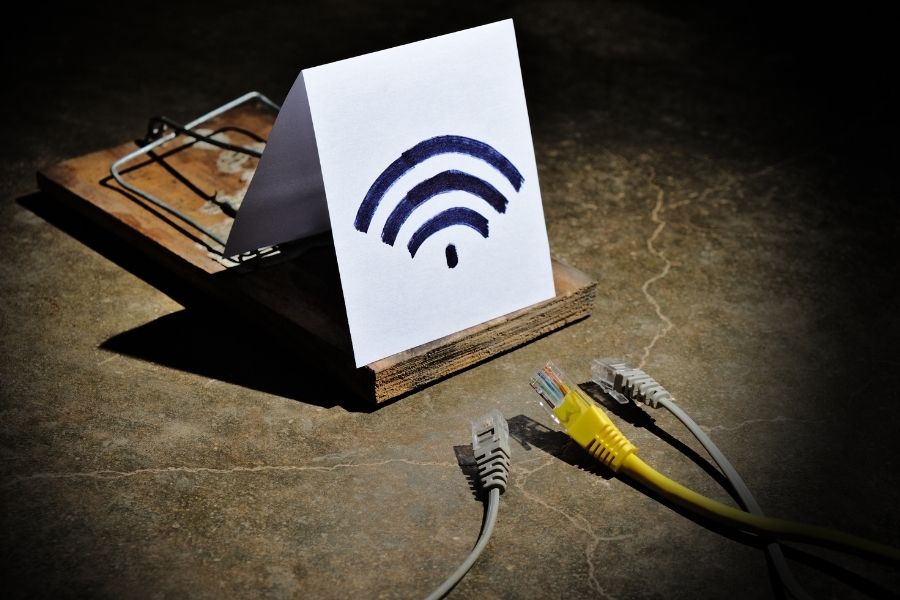
Evil Twin: the trap in public Wi-Fi networks
An Evil Twin is an advanced preparatory tactic for an MITM attack, exploiting human trust in familiar names. Criminals install their own mobile Wi-Fi routers in business locations (conference centers, airport VIP lounges, prestigious hotels). They broadcast an identical SSID name to the legitimate network in the venue (e.g., “Hotel_Business_Free” or “Airport_VIP_Lounge”). An unsuspecting manager connects to the stronger signal of the rogue network. From that moment on, the hacker has full visibility into generated traffic, can enforce fake login pages (captive portals), and capture confidential banking data or credentials for enterprise ERP systems.
How to protect yourself:
- Minimize the use of public Wi-Fi hotspots on company devices; if necessary, never perform financial operations or log into email on them.
- Disable the automatic connection feature for known or open Wi-Fi networks on smartphones and laptops to prevent silent connection to criminal infrastructure.
- Pay close attention to all system warnings and security alerts on the device – never ignore messages about network parameter changes.
- Always use corporate, tunneled VPN connections that encrypt traffic from the device itself, preventing data interception even on an Evil Twin network.
Password Spraying and silent penetration of ERP systems
Traditional Brute Force attacks (forcefully guessing a password for a single account) quickly trigger account lockouts and IT department alerts. Password spraying reverses this tactic. The hacker takes a single, extremely common and weak password (e.g., “Spring2026!”, “Company123”, or “qwerty”) and attempts to apply it across thousands of different user accounts within an organization. By making only one or two attempts per account, they bypass failed-login lockout mechanisms. In a company employing several hundred people, there is almost always an employee who took a shortcut when creating their password. Compromising even a single regular employee’s account gives criminals a foothold to escalate privileges toward the accounting department and financial systems.
How to protect yourself:
- Enforce a strong, unique password policy across the entire organization, encouraging employees to use long passphrases with varied characters and utilize password managers.
- Mandate multi-factor authentication (MFA/2FA) across all access points to the corporate network (VPN, email, cloud services, accounting systems).
- Regularly rotate domain passwords and monitor login attempts for distributed anomalies (e.g., simultaneous failed login attempts across dozens of accounts from a single IP address).
- Implement modern identity management systems that automatically block the use of passwords found in global data breach databases.
Browser Hijacking during banking operations
Browser hijacking involves unauthorized modification of web browser settings on an employee’s computer. Infection typically occurs when downloading free software, PDF converters, or supposedly useful browser extensions. The malicious software runs in the background (as a rogue extension or spyware) and activates when online banking sites or factoring portals are opened. It can invisibly alter bank account numbers pasted into transfer forms (known as clipboard swapping), hide true balances, or intercept session cookies, granting hackers complete control over a corporate account without needing to re-enter passwords.
How to protect yourself:
- Install software, applications, and browser extensions exclusively from verified, official stores and trusted vendors; avoid websites offering free substitutes for paid tools.
- Secure workstations with reliable Endpoint Protection systems (advanced business-grade antivirus software) and ensure regular, automatic updates.
- Never click on suspicious online links or banners suggesting an urgent need to update your browser or Flash/Java plugins; do not yield to time pressure induced by pop-up messages.
- Restrict user permissions on company computers – finance department staff should not hold administrative rights allowing them to install plugins and programs independently.
Comprehensive protection of capital and liquidity in business
Online security management is now an integral component of enterprise financial management. Even the healthiest business with excellent sales performance can lose its financial liquidity as a result of a single, precise Spear Phishing or BEC attack.
While financial tools such as factoring protect your company against counterparty insolvency and payment bottlenecks by releasing cash frozen in invoices, robust cybersecurity procedures ensure that these hard-earned funds do not fall prey to cybercriminals. Building B2B stability requires acting on both fronts simultaneously – through smart working capital safeguarding alongside continuous education and fostering digital vigilance across the entire team.
Frequently Asked Questions (FAQ) about common online threats
How do Man-in-the-Middle (MITM) and Evil Twin attacks threaten B2B financial transactions?
These attacks allow criminals to intercept communications between an employee’s device and a banking or financial platform server. The hacker not only reads transmitted login credentials and session tokens, but can also modify transaction contents in real time – such as altering the destination account number in an approved batch of invoice transfers, leading to an irretrievable loss of the company’s working capital.
What is the difference between classic phishing and Spear Phishing in the context of invoice fraud and factoring?
Classic phishing is a mass, template-based distribution of emails to thousands of random addresses, which is easy to filter out. Spear Phishing is a precise attack preceded by months of corporate reconnaissance, targeting specific decision-makers (e.g., CFOs or accountants). Criminals understand the company’s actual relationships with factoring partners and suppliers, allowing them to fabricate an uncommonly convincing request for an urgent change in the account used for debt repayment.
How can implementing factoring support a company's financial security in the era of growing cyber threats?
Factoring provides an enterprise with predictable, stable access to cash immediately upon issuing an invoice, creating a strong liquidity buffer against market turbulence. Additionally, a professional factor conducts continuous, rigorous verification of the financial and legal credibility of your counterparties. This helps mitigate the risk of entering business relationships with unreliable entities or those involved in money laundering schemes (e.g., Money Muling). However, it does not replace internal digital hygiene – securing login credentials to the factoring portal itself always remains the responsibility of the user.